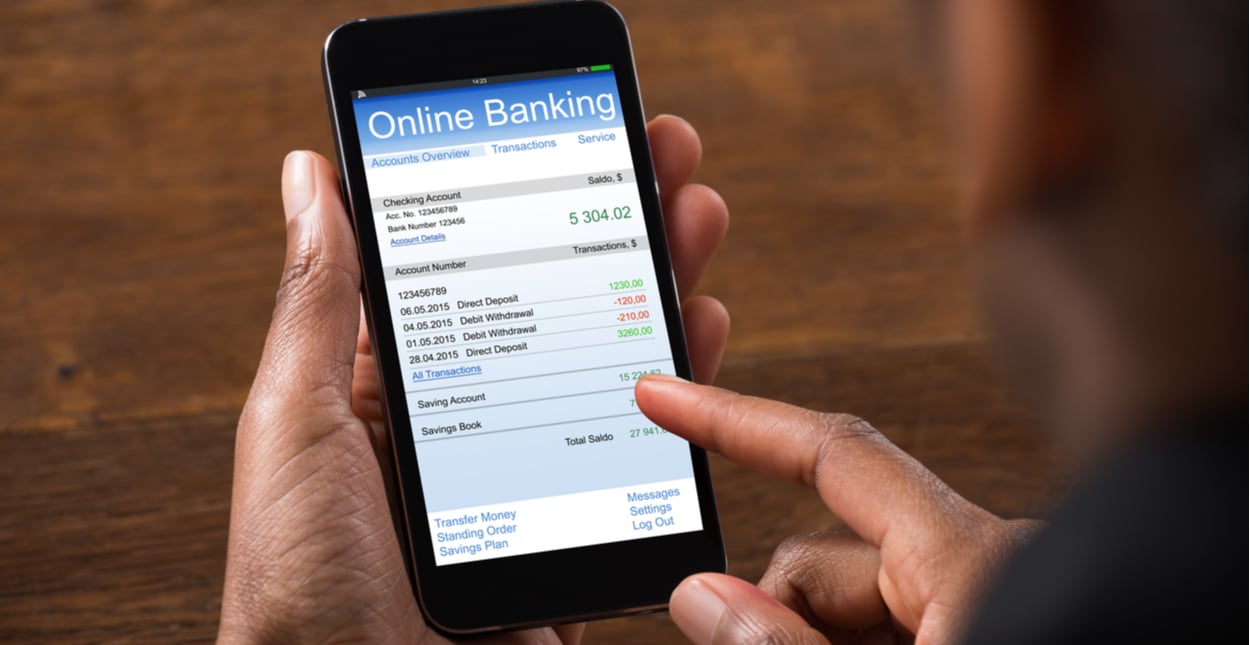


Credit cards offer convenience, flexibility, and valuable security features for everyday spending. For seniors, credit cards can be especially useful for online shopping, automatic bill payments, travel, and emergency purchases. However, seniors are also common targets for scams, fraud attempts, and financial mistakes that can put their accounts at risk.
Understanding how to use credit cards safely is an important part of protecting personal finances and maintaining peace of mind. This guide explains the most common credit card safety mistakes seniors should avoid, along with practical tips to help older adults stay secure and confident when using their cards both online and offline.
Sharing Credit Card Information Over the Phone
One of the biggest risks for seniors is receiving fraudulent phone calls from scammers pretending to be:
- Banks
- Government agencies
- Utility companies
- Retailers
- Delivery services
These callers often pressure seniors to share their credit card numbers, expiration dates, or security codes.
Why it’s dangerous: Scammers can use the information to make unauthorized purchases or steal your identity.
How to stay safe:
- Do not share your credit card number over the phone unless you initiated the call.
- Hang up if someone pressures you.
- Call the company directly using the number on the back of your card.
Using Weak or Repeated Passwords
Many seniors use simple passwords like “123456” or birthdays. While easy to remember, these passwords are also easy for hackers to guess.
Why it’s risky:
Weak passwords can allow criminals to access your bank accounts, online shopping profiles, or email.
Safer options:
- Use a combination of letters and numbers
- Try an easy-to-remember phrase (example: SunnyGarden45)
- Avoid using the same password for multiple websites
- Write passwords in a safe place if needed
Carrying Too Many Credit Cards at Once
Some seniors carry all their credit cards in their wallet, purse, or coat pocket. If the wallet is lost or stolen, every card becomes vulnerable.
Safer habit:
Carry only the card(s) you need that day.
Keep the rest stored securely at home.
Not Checking Monthly Statements
Fraud isn’t always obvious. Many unauthorized charges are small amounts meant to go unnoticed.
Why seniors should monitor statements:
- Detect unfamiliar charges early
- Catch duplicate transactions
- Spot subscription renewals you no longer want
Tips:
- Review statements monthly
- Enable online statements if comfortable
- Contact the credit card company immediately if something looks wrong
Clicking Links in Unexpected Emails or Texts
Phishing scams target seniors by sending messages that look like they come from banks, delivery services, or stores.
They may say things like:
- “Your account has been locked.”
- “Click here to verify your credit card.”
- “We could not deliver your package.”
Why this is dangerous: Clicking fake links may lead to websites designed to steal your credit card number or login information.
Safer practice:
- Do not click links in unexpected messages
- Visit the official website directly
- Delete suspicious emails
Real companies do not ask for credit card numbers by email.
Not Using Credit Card Alerts
Many credit cards can send text or email alerts for:
- Every purchase
- Large purchases
- Online transactions
- Foreign transactions
Seniors sometimes forget to activate these features.
Why alerts matter: They let you detect unusual activity immediately—often before larger fraud occurs.
Tip: Ask a family member to help set up alert notifications if needed.
Making Online Purchases on Public Wi-Fi
Public Wi-Fi in coffee shops, airports, or hotels is convenient but risky.
Why it’s unsafe: Hackers may intercept information shared over unprotected networks.
Safer options:
- Use home Wi-Fi
- Use mobile data
- Avoid entering credit card details on public networks
If you must use public Wi-Fi, avoid logging into your online banking or shopping accounts.
Saving Credit Card Information on Every Website
Many online stores allow you to “Save this card for future purchases.” While convenient, saving your card on too many websites increases the risk if one of the sites is hacked.
Better approach:
- Save your card only on trusted websites
- Use digital wallets (Apple Pay, Google Wallet) if you prefer added layers of protection
- Avoid saving cards on websites you use only once
Not Updating Devices or Apps
Outdated phones, tablets, or computers may have security weaknesses.
Updates often include:
- Security fixes
- Bug patches
- Improvements against viruses or scams
Safer habit for seniors:
Regularly update:
- Web browsers
- Mobile banking apps
- Operating systems
Ask a trusted person for help if updates feel confusing.
Ignoring Suspicious Phone Calls or Mail Notices
Some scammers send fake mail or leave voicemails claiming:
- “Your credit card has been compromised.”
- “We need your credit card number to confirm your identity.”
Important reminder: Banks will never ask for your full credit card number by phone, mail, or email. When in doubt, call the number on the back of your card—not the one in the message.
Throwing Away Receipts or Documents Without Shredding
Receipts, old statements, or unwanted offers can contain personal details.
Safer option: Shred or tear up documents before throwing them away. This reduces the risk of identity theft through “dumpster diving,” a tactic still used by criminals today.
Sharing Cards With Friends or Caregivers Without Clear Boundaries
While many seniors receive help from caregivers or family members, sharing credit card information should always be done carefully.
Safer approach:
- Allow only trusted individuals to assist
- Keep spending boundaries clear
- Monitor statements regularly
- Consider supervised transactions rather than sharing full card details
Using Debit Cards Instead of Credit Cards for Online Purchases
While debit cards are convenient, they pull money directly from your bank account, making unauthorized withdrawals more harmful.
Why credit cards are safer online:
- Better dispute options
- Less risk to your checking account
- Strong fraud monitoring systems
Seniors shopping online should consider using a credit card rather than a debit card when possible.
Forgetting to Report Lost or Stolen Cards Immediately
If a credit card goes missing, every minute counts.
What to do:
- Call your card issuer right away
- Ask to freeze or replace the card
- Monitor your latest transactions
Most companies offer 24/7 customer service for lost-card situations.
Feeling Embarrassed to Ask for Help
Many seniors feel embarrassed if they don’t understand online shopping, passwords, or credit card alerts. But asking for help is one of the best ways to stay safe.
Trusted family members can help with:
- Checking account activity
- Updating devices
- Setting up security tools
- Identifying suspicious messages
Staying informed is a key part of financial safety.
Bottom Line
Credit cards can be safe, convenient, and useful tools for seniors—especially when paired with simple protective habits. By avoiding common mistakes like sharing card information, using weak passwords, clicking suspicious links, or shopping on public Wi-Fi, seniors can greatly reduce the risk of fraud and enjoy online and in-store shopping with more confidence.
Staying safe with a credit card is not about complicated technology. It’s about awareness, simple precautions, and knowing when to ask for help. With smart habits and the right support, seniors can protect their financial information while enjoying the benefits and convenience of modern shopping.
Disclaimer: This article is for informational and educational purposes only and does not provide financial, legal, or security advice. Always consult your card issuer or a trusted professional for personalized guidance.